The whole revenue cycle, in one system.
From the first coverage check to the month-end close: what runs on its own, what waits for a person, and what the G3Flow team can do by hand while your systems connect.
Runs on its ownscheduled, checked and logged You approveshown to a person before it changes a live system Optionalturned on per organization
Front desk and patient access
Coverage, estimates and check-in, sorted out before the patient arrives.
Pre-visit eligibility
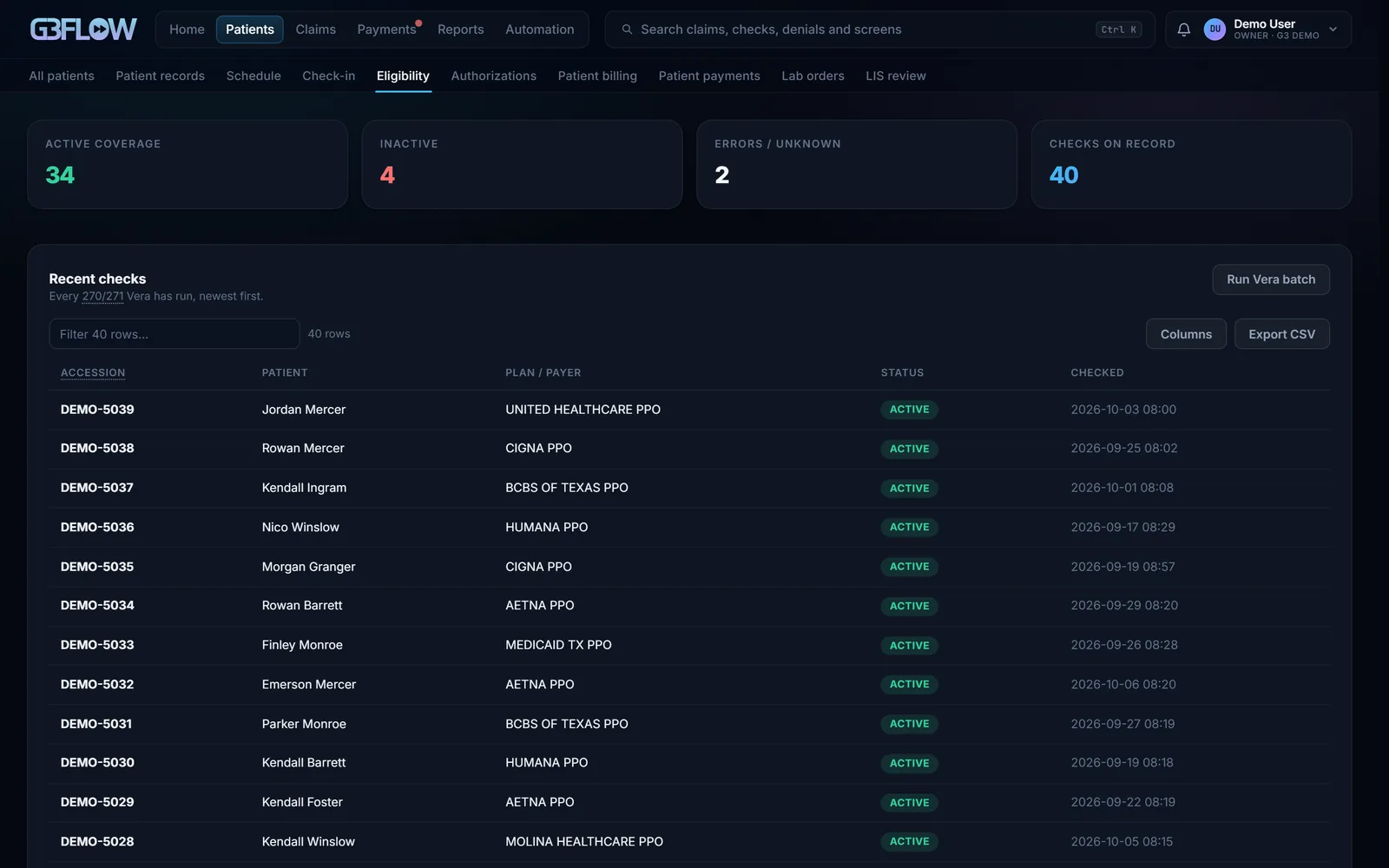
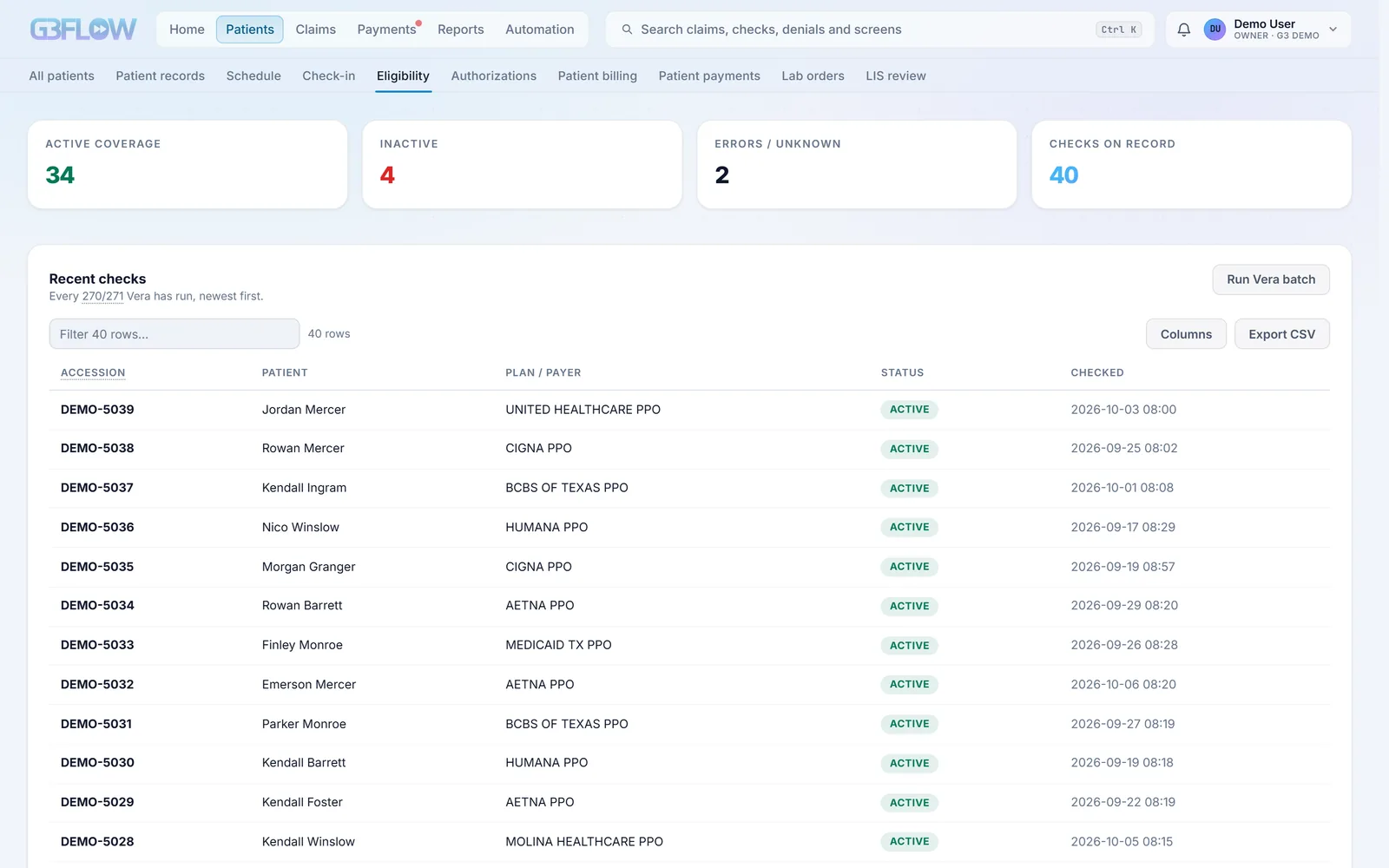
Every appointment in the next three days gets an X12 270/271 coverage check. A fresh answer is reused for two days, and anything wrong (inactive coverage, out of network, prior auth needed) becomes a task due the day before the visit.
Coverage discovery
When insurance is missing or inactive, G3 Flow searches the payers you bill by the patient’s name and date of birth and records the coverage it finds. When nothing turns up, a person gets the task.
Benefits in plain language
Each 271 becomes deductible, coinsurance, copay and out-of-pocket by network and period, with Medicare Advantage, Medicaid and QMB patients flagged so no one bills a patient who can’t be billed.
Payer routing without guesswork
BlueCard prefixes route to the patient’s home Blue plan, VA Community Care and TRICARE route by clinic state, and anything unknown goes to a person instead of being guessed.
Estimates
Patient estimates from the planned services, expected allowed amounts and the patient’s benefits, with every assumption listed. Self-pay patients get a No Surprises Act good-faith estimate.
Schedule and check-in
Appointments arrive from your scheduling system by HL7 SIU or FHIR every 30 minutes. The desk sees coverage, the estimate, the copay and any prior balance, then checks the patient in.
Desk payments and receipts
Cash, check or card-present payments, applied to the visit or to the oldest balance, with a printable receipt. Card numbers are never stored.
Prior authorizations
Authorization numbers, covered codes, units and visits, with an alert at 80% used or 14 days left, and the authorization added to the claim when it goes out.
Missing charges
Visits from the last three days with no claim yet become a worklist, with CPT, HCPCS, ICD-10 and CDT lookup and coding checks before the charges go to billing.
Lab orders and requisitions
For labs: orders read from the LIS, requisitions read as evidence, coverage checked, and corrections written back to the LIS only after a person approves them.
Claims
Clean claims out the door, and every one tracked until the payer answers.
Any format in
X12 837P, 837I and 837D, HL7 v2, FHIR R4, CSV or Excel, and PDF superbills. Each claim is kept exactly as it arrived and marked ready or needing repair.
Scrubbed against CMS rules
NCCI procedure-to-procedure edits, MUE unit limits, LCD and NCD medical necessity, frequency, CLIA, your charge master, prior authorization and code validity, all for the date of service. Hard edits stop a claim; warnings advise.
Reference data that stays current
CMS fee schedules (CLFS, PFS with GPCI, DMEPOS and ASC), NCCI, MUE, HCPCS, ICD-10, coverage articles and X12 reason codes, loaded by version and applied by date of service.
Specialty rule packs
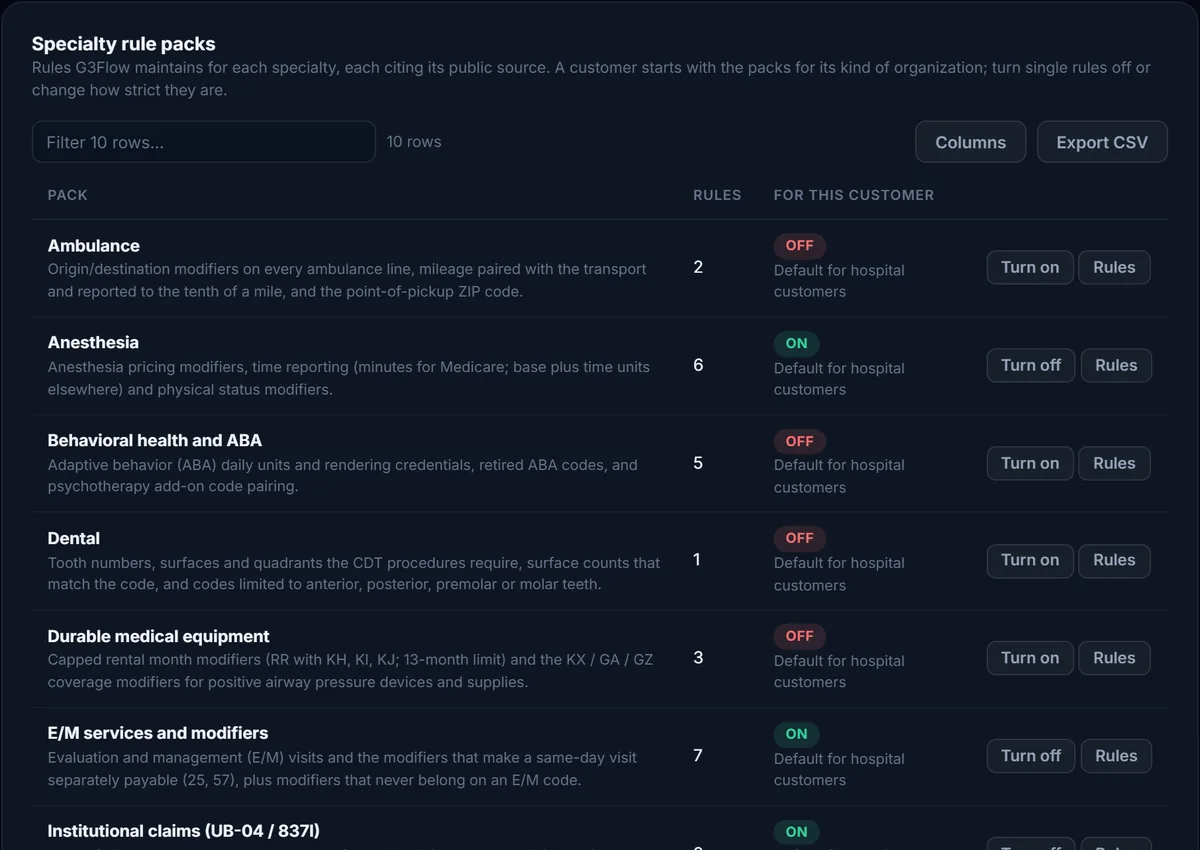
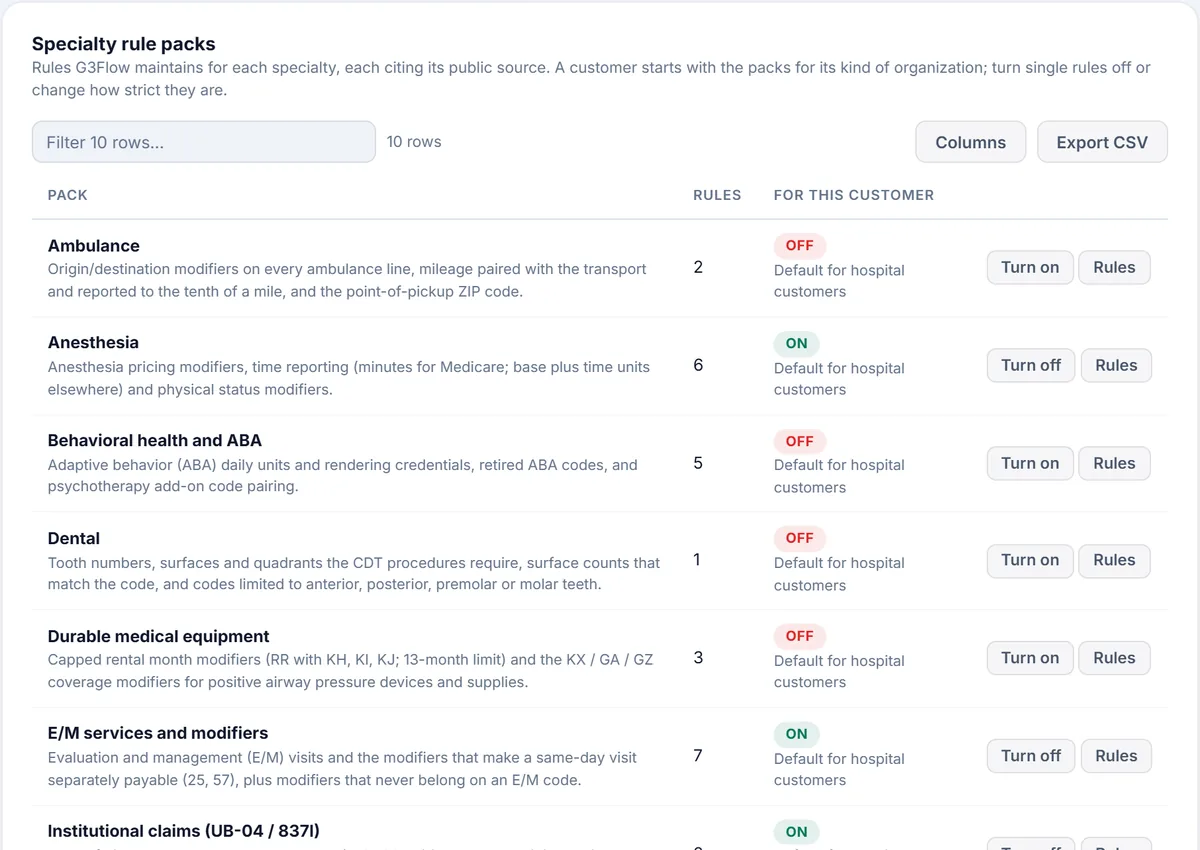
10 packs and 36 rules for E/M modifiers, telehealth, therapy, behavioral health and ABA, anesthesia, radiology, ambulance, DME, dental and institutional claims. Turn packs on per client, change severities, or write your own. See the rules
Denial risk, before you send
A model trained on your own remittances warns when a payer often denies a code or a code and modifier combination. It advises; it never blocks a claim.
837 files that pass
005010X222A1 professional, X223A2 institutional and X224A2 dental claims in one interchange, with coordination of benefits loops, attachments and drug details.
Sent and tracked
Through any clearinghouse: Claim.MD is built in, and every other takes its standard files over SFTP. 999 and 277CA acknowledgments are matched back to each claim, and a claim still unacknowledged after 48 hours raises an alert.
Secondary claims
After the primary pays, G3 Flow builds the balanced secondary or tertiary claim from the remittance, or waits for a Medicare crossover (MA18, N89) instead of billing twice.
Insurance AR, ranked
Aging out to 365 days and beyond, ranked by what each claim is likely to bring in, from each payer’s own history, and by filing deadline: Medicare and TRICARE 365 days, VA 180, and the limits you set for the rest.
Status inquiries and attachments
X12 276 status inquiries for claims that go quiet, and supporting documents sent to payers as X12 275 attachments.
Paper forms
CMS-1500, UB-04 and ADA 2019, printed onto red forms or as labeled copies for payers that take them.
Every claim in one matrix
Every claim on your billing system’s report, grouped by status, payer, month and age, with search, Multi-Action and export.
Payments and deposits
Every remittance posted once, and every deposit accounted for.
ERAs collected and checked
835 remittances pulled from your clearinghouse, your billing system or a folder, set aside if they’ve been seen before, and checked to balance before anything is posted.
228 reason codes, classified
Every CARC is filed as a denial, a contractual adjustment or patient responsibility, so posting and claim status follow the same rules every time.
Deposits matched to remittances
Bank deposits matched to ERAs by amount, payer and date, graded exact, strong, weak or ambiguous, and queued for a person to approve.
Approval you can measure
Exact matches can approve themselves only after audits show at least 95% precision over 80 or more reviewed matches. Everything else waits for a person, and an approval can be undone for 15 minutes.
Posted once, wherever payments live
Approved matches are posted once, in your practice-management system or in G3 Flow’s own ledger, and the deposit is closed in your reconciliation tool. A posting ledger stops the same ERA from being applied twice.
Recoupments, interest and no-ERA payments
Takebacks, interest paid or deducted, and insurance or patient payments that arrive without an ERA each have their own posting path.
Paper EOBs
EOBs dropped in a folder are read, and their payments queued for posting.
Bank reconciliation and month end
Bank statement deposits matched to posted payments, a daily check between the billing system and deposits, any variance over $1.00 surfaced, and month-end revenue checked against completed allocations.
Cash forecast
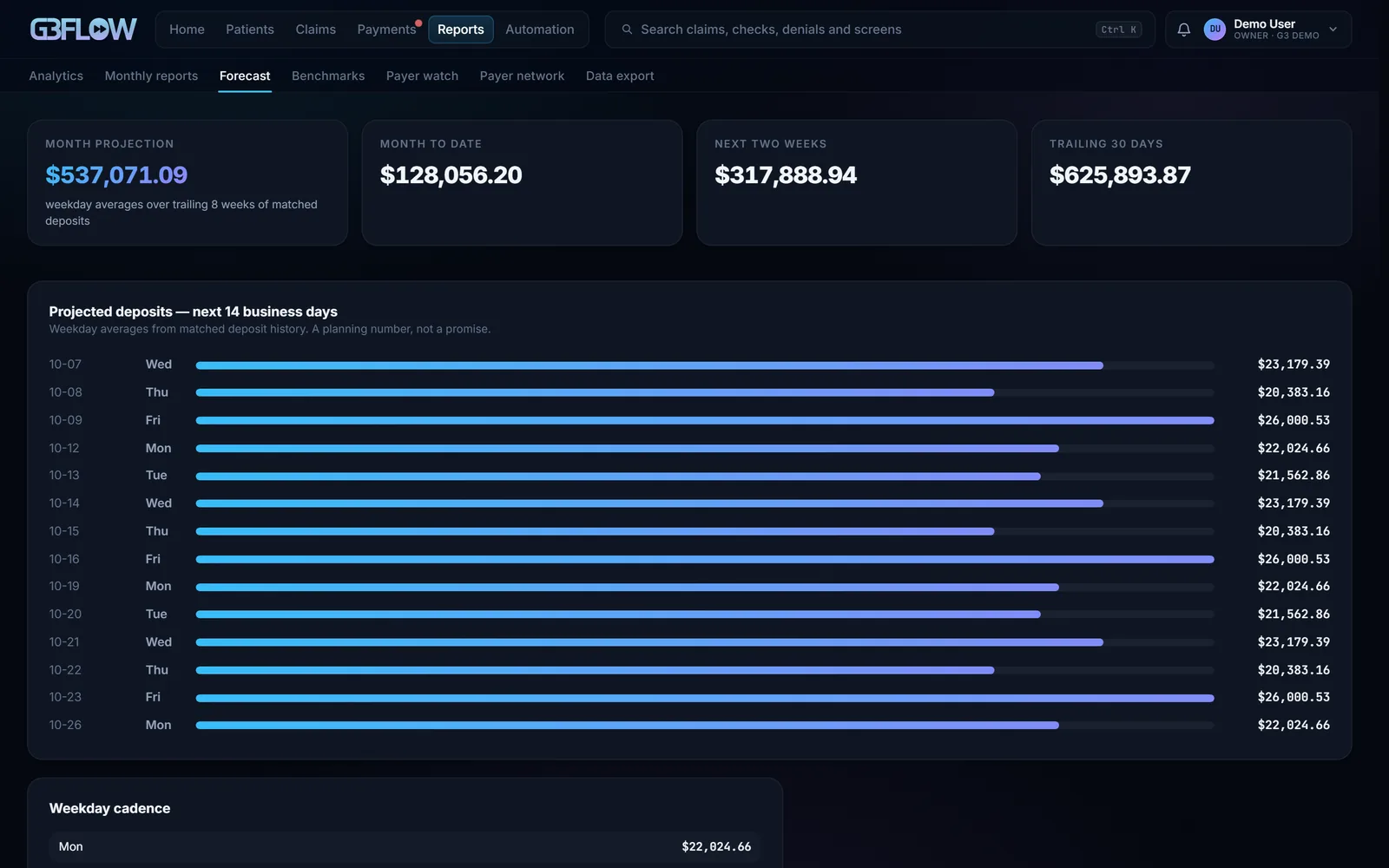
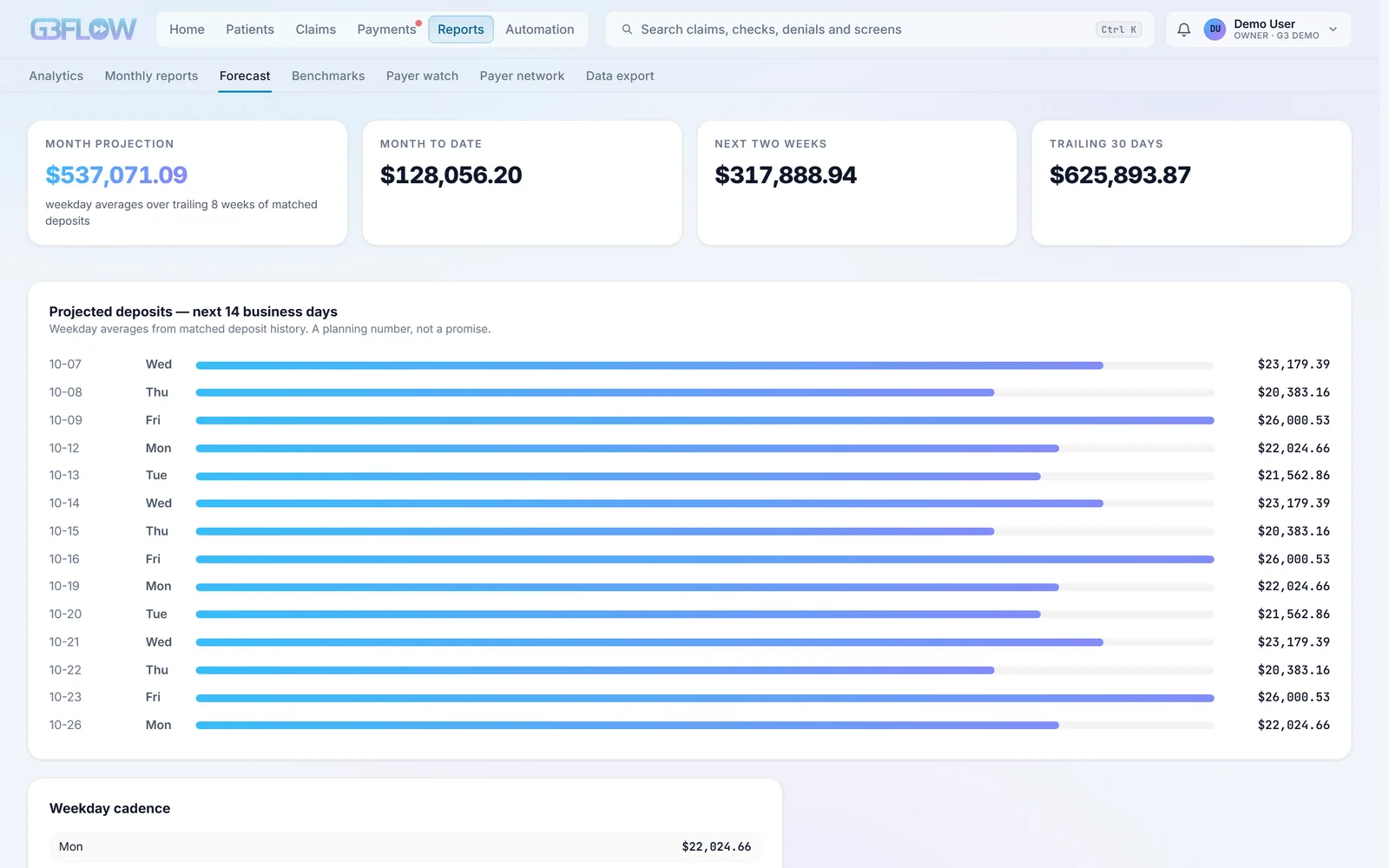
Expected deposits for the next 14 business days and for month end, from eight weeks of matched deposits.
Credit balances and refunds
Overpayments found and refunded with two people involved, and Medicare’s 60-day refund deadline tracked.
Denials and underpayments
Every dollar a payer held back gets a reason, an owner and a deadline.
Every denial becomes work
Denied lines on each ERA become work items with one of 16 root causes, an appeal deadline and the expected recovery, routed to the team that fixes that kind of denial.
Appeals, drafted
A letter and an evidence checklist for each root cause, zipped into a packet for the payer. Optional AI drafting runs through AWS Bedrock with patient identifiers removed first. A person sends every appeal.
Underpayments flagged
Paid lines below Medicare’s fee schedules (CLFS, and PFS for your locality) or below your payer contracts, as fixed amounts or a percent of a schedule, tracked until recovered, appealed or written off.
Reason codes, explained
CARC and RARC from X12’s published lists, with a plain-language definition anywhere a code appears.
Patient billing
Patients billed for exactly their share, and an easy way to pay it.
Balances from the remittance
Deductible (PR-1), coinsurance (PR-2) and copay (PR-3) from the last payer’s answer, less what the patient has paid. Other patient responsibility is held for review, claims waiting on a secondary aren’t billed, and Medicaid patients never are.
Statements that escalate
Standard, detailed or simple templates with your remit-to address and pay link: a statement, a second statement and a final notice, 30 days apart, printed or sent to your mailing vendor as a file.
E-statements by email and text
With the patient’s consent: quiet hours (9 pm to 8 am by default), no more than three messages in 30 days, STOP and HELP handled, and a paper statement whenever a message can’t go.
Online payments
A pay page opened with a statement code and date of birth, or with a signed link. Patients pay by card or bank account through Stripe; card details never touch G3 Flow.
Payment plans
Plans set up by your staff, or by patients online, with the minimum installment and terms you choose. A missed payment returns the balance to the statement cycle.
Collections decisions
After the final notice, a person decides: agency, payment plan, hardship or small-balance write-off, always with a note.
Client billing
Monthly invoices to the facilities that order from you, for claims billed to them instead of insurance, at each client’s discount and terms.
Reporting
Numbers with their definitions attached, and the date of the data behind them.
KPIs with their formulas
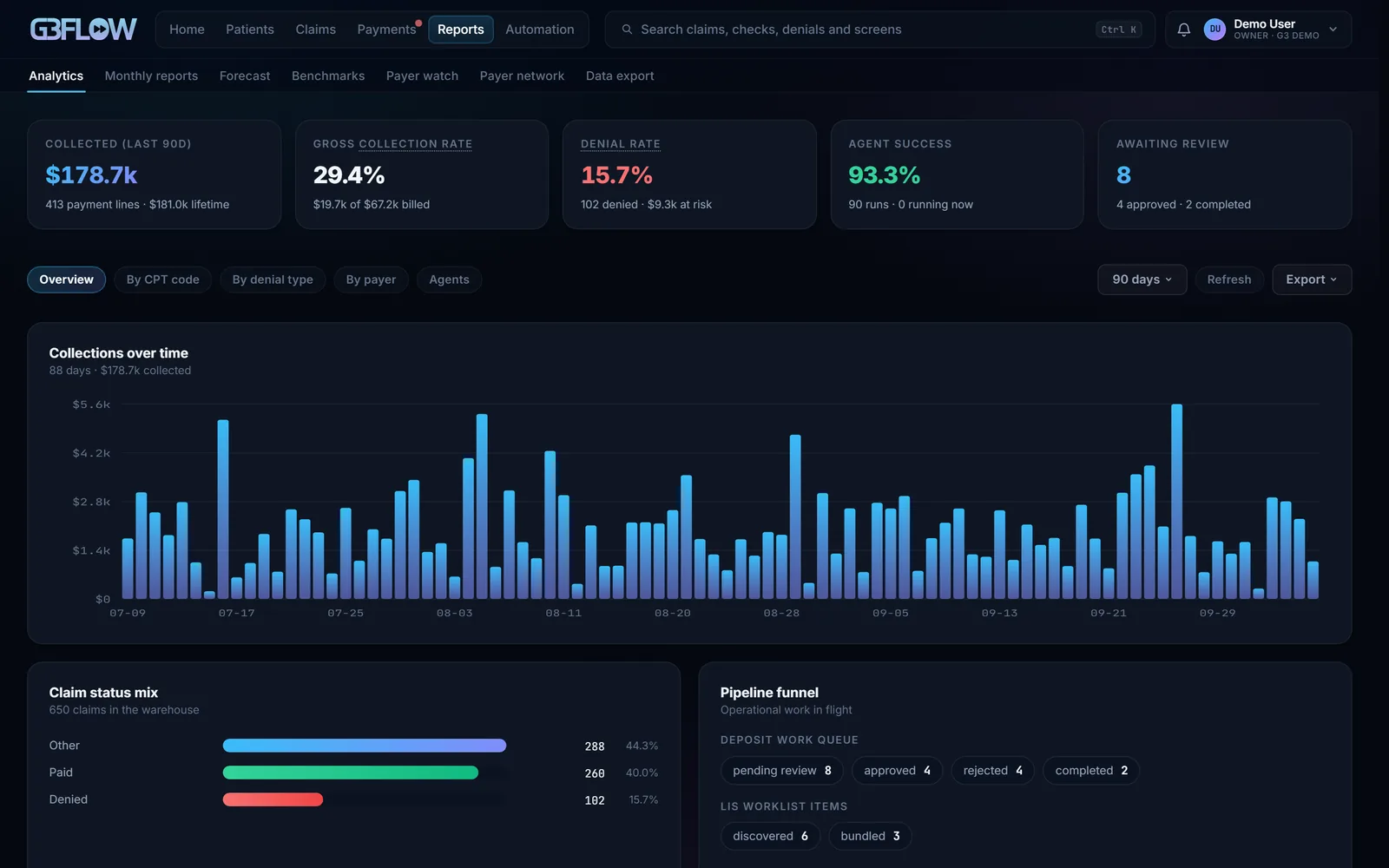
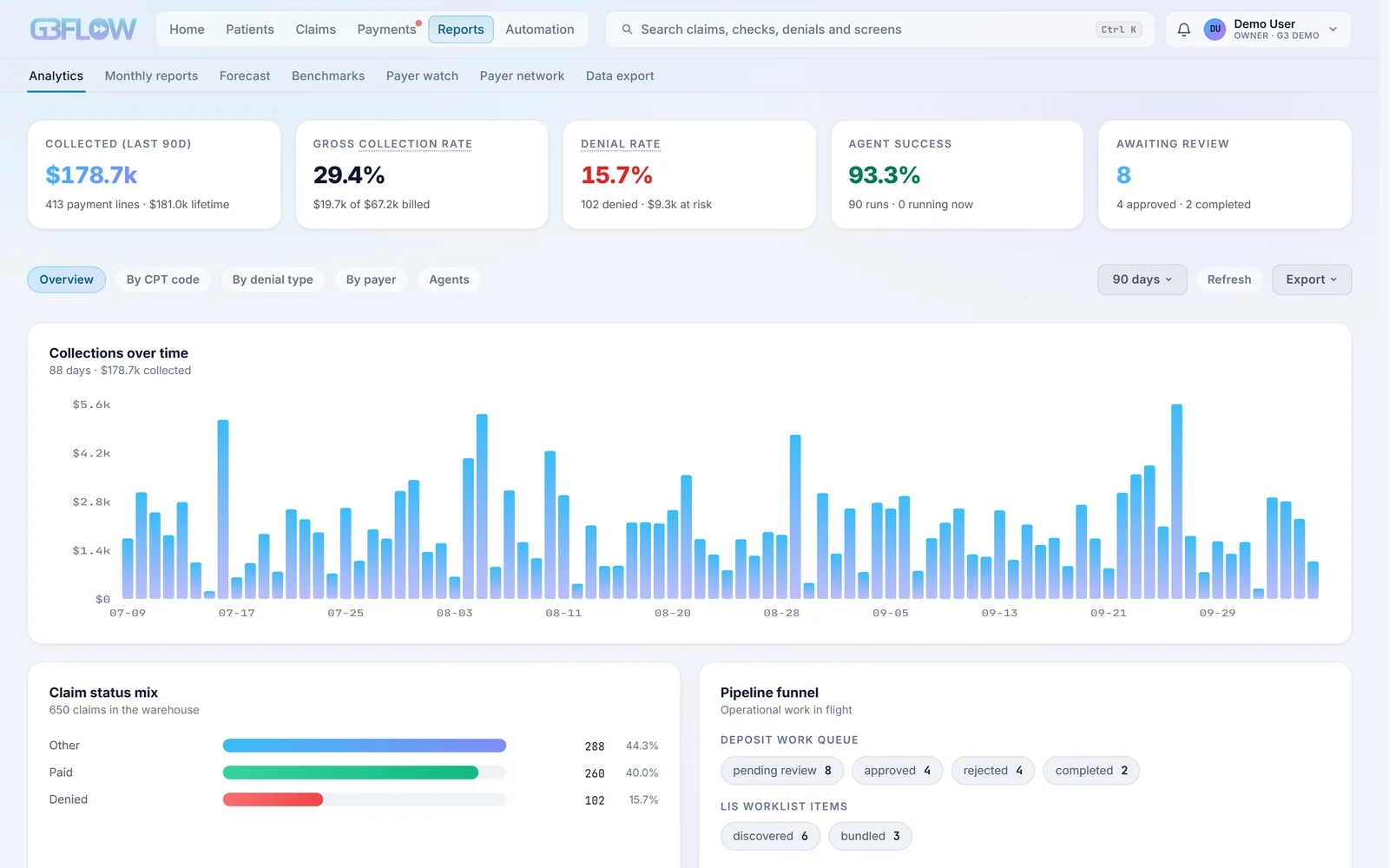
Days in AR, net collection rate, clean-claim rate and denial rate, each with its formula and the date of its data. Data older than three days is marked stale, and missing data shows as no data, never as zero.
Net collection, measured honestly
Insurance paid over billed, less contractual adjustments (CO-45, CO-42, CO-131, CO-253), duplicates (OA-18), prior-payer amounts (OA-23) and patient responsibility.
The cost matrix
Charges, payments, collection and denial rates by payer, procedure, client, month and reason, with the change from the period before, a trend line, a “Why?” on any rate, and margins once you enter your costs.
Monthly report packs
Collections, charges, KPIs, AR aging, denials, underpayments and turnaround, built on the 3rd of each month as HTML and CSV, with no patient names.
Team performance
Tasks done, on-time rates and median hours by person and task type, plus a weekly 5% quality sample that someone else reviews.
Payer network
Opt-in, anonymized benchmarks: your denial rates and payment speed beside other members’, released only with at least 3 members and 30 claims behind a figure and no member above 60% of it.
Daily digest
The morning’s numbers, open denials and unposted ERAs in Slack or email.
Automation
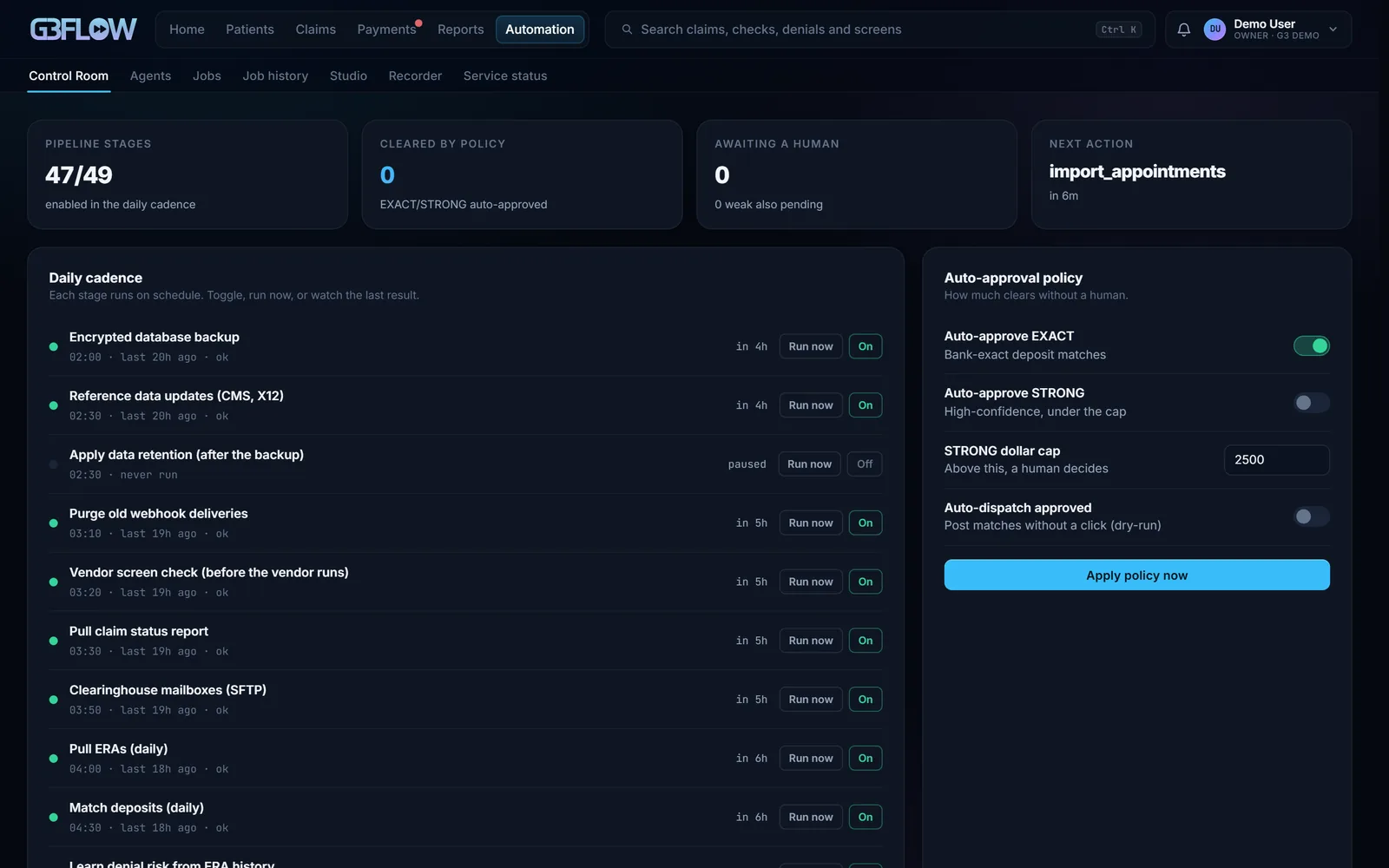
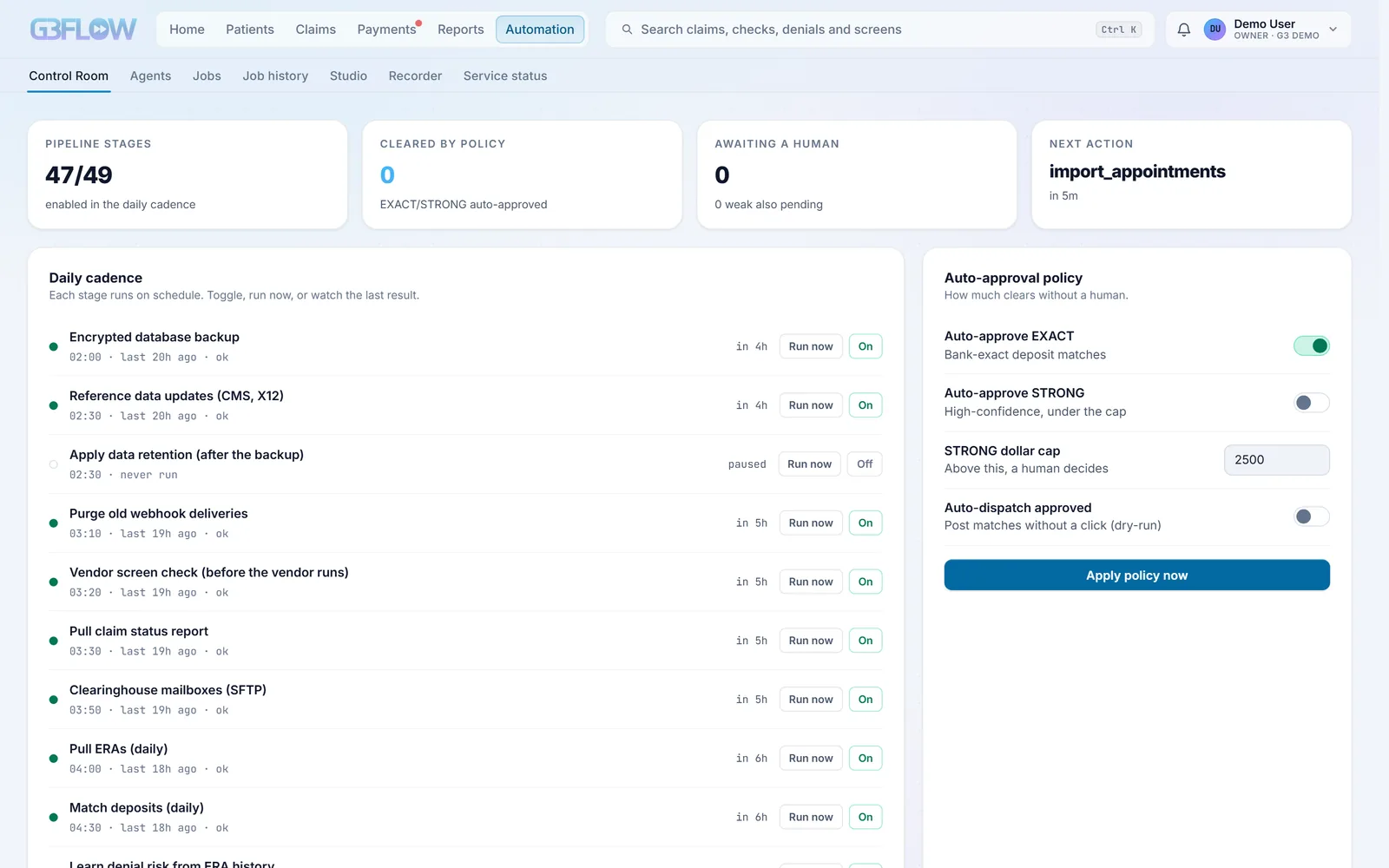
Nine agents, one for each stage of the cycle, on a schedule you can see. Each one is a set of skills you can run, and every outside system is a connector you can swap.
- CrediCredentialing and enrollment
Licenses, CAQH, revalidations, and medical, ERA and EFT enrollment with every payer, with tasks for anything due within 60 days.
- FronteyPatient access
Brings orders in, checks coverage for the date of service, and routes problems before billing.
- ClaimyClaims
Turns orders into clean claims and sends the ones that pass as 837s through your clearinghouse.
- ReggieFollow-up
Tracks every sent claim to an answer: acknowledgments, status inquiries and a ranked follow-up queue.
- PostyPayment posting
Collects ERAs, matches deposits for approval, and posts each ERA once.
- DenoDenials
Turns denials into work with a letter, a deadline and the expected recovery, and finds underpayments.
- StateyPatient and client billing
Works patient balances, statements, payment plans, client invoices and credit balances.
- DeppyReconciliation
Reconciles deposits to posted ERAs every day and validates the month-end close.
- ReportyReporting
Keeps the claim report, month-end revenue and KPIs current, and sends the daily digest.
How the crew stays safe
Dry run first
Stages that write to outside systems start in dry run, recording what they would do. A person turns each one live.
Review before every live write
Posting payments, sending claims and changing records show the items, the count and the total before anything is sent.
Undo for 15 minutes
Deposit match decisions, acknowledged alerts and cancelled tasks can be undone by the person who made them.
Circuit breakers
Three failed logins in a row, or one rejected credential, stop that integration until a person resets it, so a broken password never retries for days.
Alerts, and a stop without them
Every alert is kept, with headlines sent to Slack or email. Unattended schedules pause until there’s somewhere to send an alert.
Automation Studio
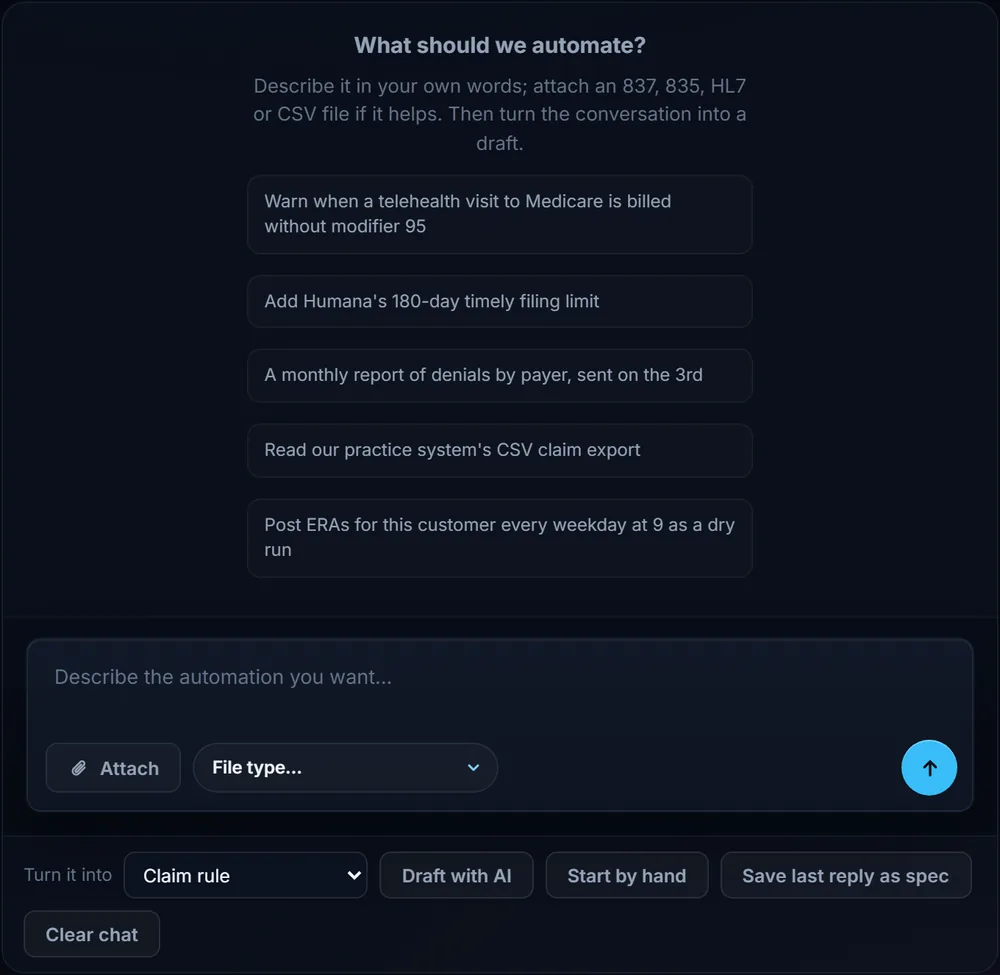
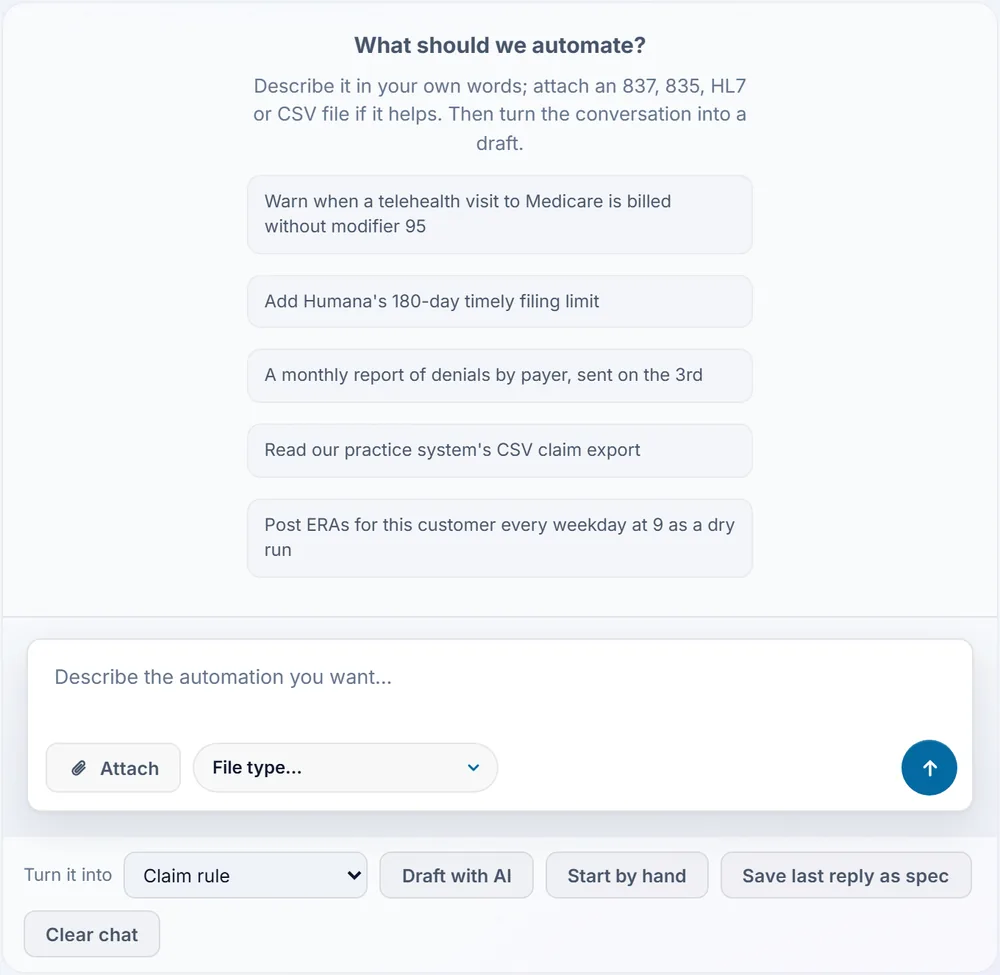
Describe or build your own claim rules, schedules, intake mappings and monthly reports. Each is tested on past data, approved by a second admin, and can be rolled back in one click.
Your workspace
Built for the people who work the queue all day.
Today
The one task to start with, what’s due and overdue, and the decisions waiting for a person.
My work and the Work queue
Take a task, finish it, and open the next one. Bulk actions show what they’ll change first.
Notifications
Alerts, due tasks and deadlines, each linked to its record. Mark it done, snooze it, or undo.
Search everything
Ctrl K finds claims, checks, payers and screens from anywhere, and every screen and record has its own link.
Saved and shared views
Matrix layouts saved for yourself or shared with the team, with an optional monthly email link.
Exports that ask first
Exporting patient detail asks for a fresh two-step code, and every export is written to the access log.
Help where you are
Billing terms and reason codes explained on hover, every keyboard shortcut one key away, and a first-week checklist for each role.
Access by job
Front desk, biller, payment poster, patient accounts, manager or reports only, limited to the clients each person works, with patient data shown in full or masked. Pages someone can’t use aren’t there at all.
Portal, service and status
A home for each client organization, and support that sees what you see.
Customer portal
Each client organization gets its own home: KPIs with their definitions, monthly reports, service requests, invoices and account details.
Service desk
Tickets linked to the claim, ERA or task they’re about, SLA clocks on business hours, email in, a knowledge base, and AI-drafted replies that a person reviews and sends.
Tickets that open themselves
Hard alerts, rejected claim batches, credentials expiring within 30 days and failing webhooks open a ticket on their own.
Status and incidents
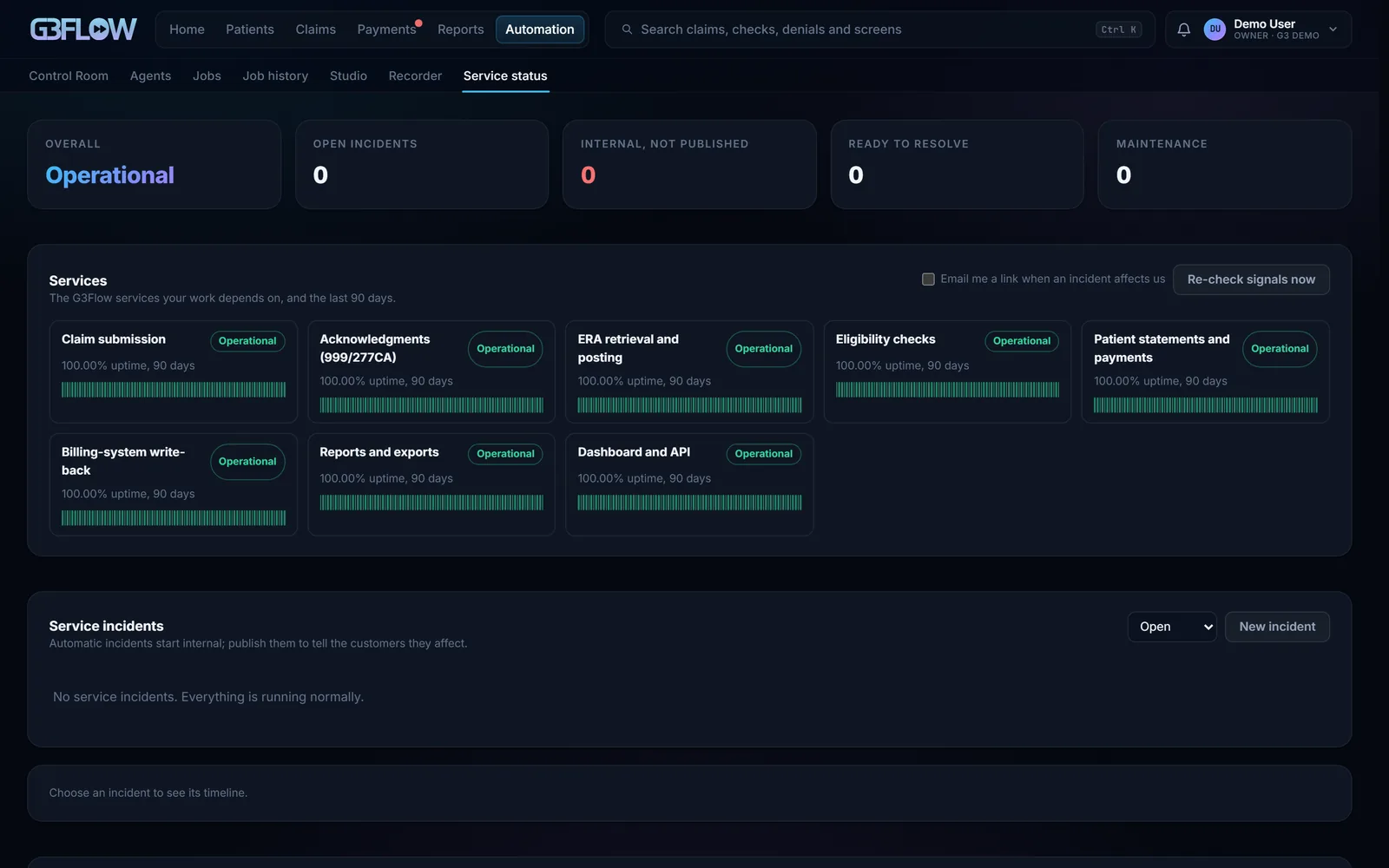
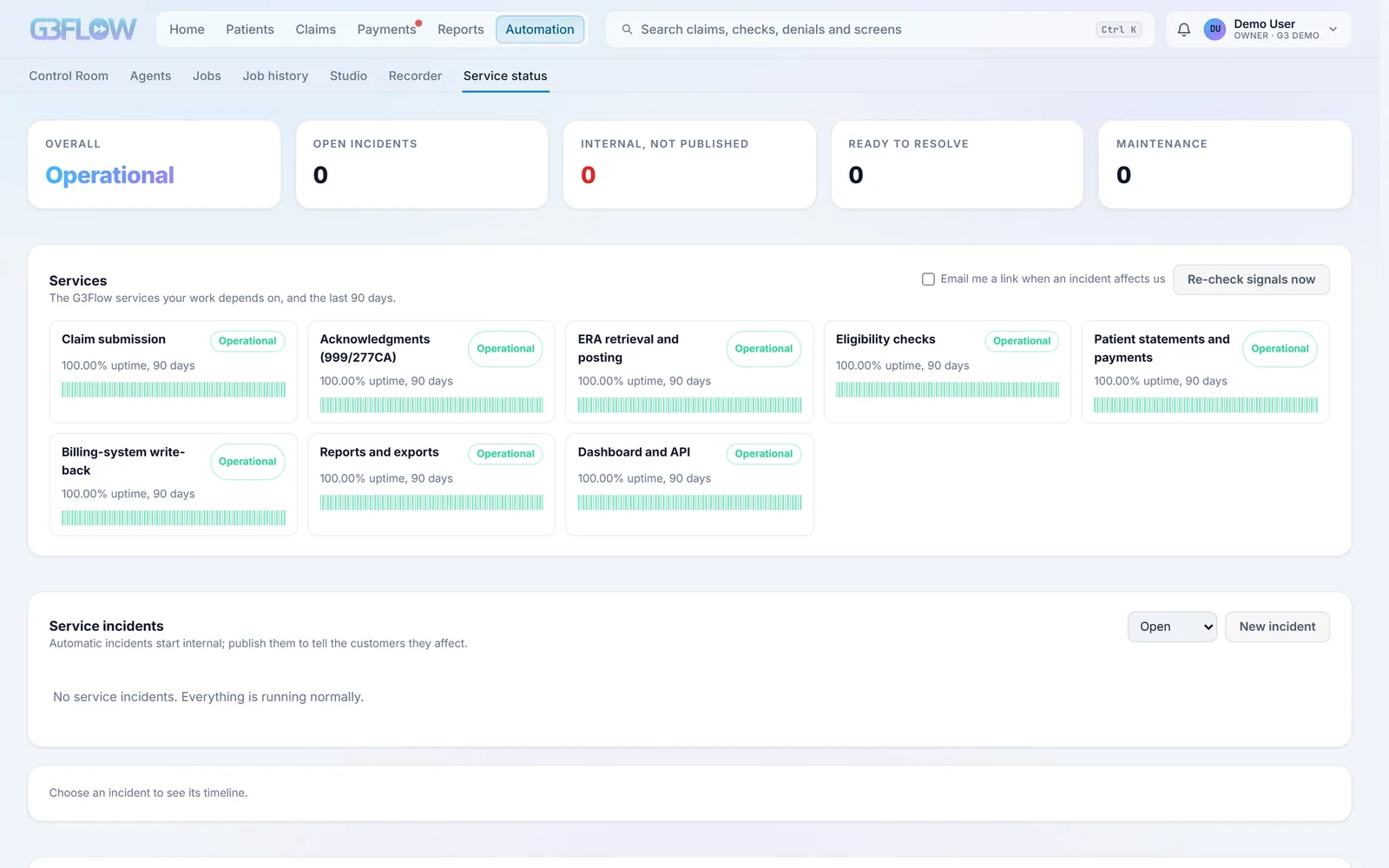
Incidents open when stages fail, alerts fire or logins break, with the work each one affects counted. 90-day uptime, and a public status page when you turn it on.
Managed manual work
Where a system isn’t connected yet, the G3Flow team does the work by hand on a deadline: eligibility checks within a day, claim uploads within a day, EOB keying within two, payer calls within three.
A go-live plan
Every new organization gets a plan from kickoff to go-live, built for its services and specialty, with an owner and a date on every step. See the plan
See it on your own claims.
Create your organization and G3 Flow starts your go-live plan the same day. Prices are public: software by the claim, our team by the share of collections.